

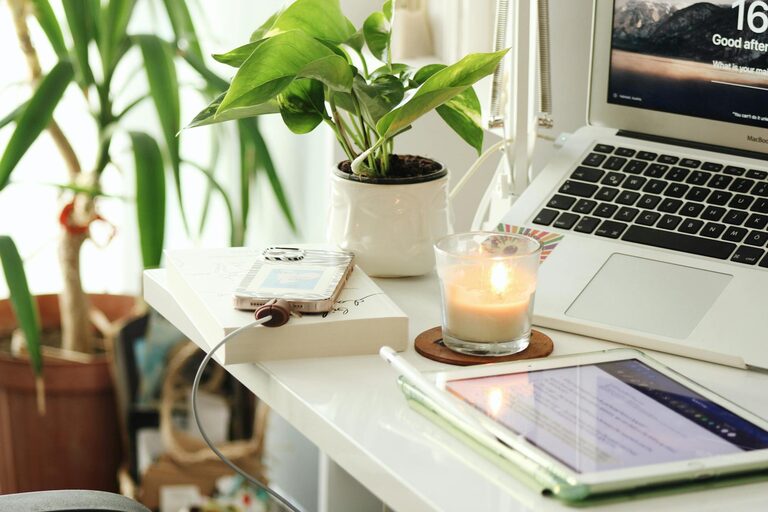
Creating a productive home office space that suits your lifestyle is essential in today’s world, where working from home has become increasingly common. Whether you’re freelancing, running a business, or working remotely for an employer, the right workspace can make all the difference in maintaining focus, efficiency, and comfort. Here, we explore practical tips to help you design an office space that supports your work habits and fits seamlessly into your daily life.
Understand Your Needs and Lifestyle
Before you start setting up your home office, it’s important to assess your individual needs. Consider how you work best and what tools or surroundings help you stay productive.
– Work style: Are you someone who prefers quiet and minimal distractions, or do you thrive in a more dynamic atmosphere?
– Hours of use: Do you work standard hours or more irregular shifts? This can affect decisions about lighting and ergonomics.
– Type of work: Think about whether your tasks need lots of computer work, phone calls, space for paperwork, or creative activities.
– Household environment: Consider the rest of your home’s layout and your family or housemates’ schedules to find a location that limits disruptions.
Choose the Right Location
The location of your home office is crucial. Ideally, it should be a dedicated area that signals ‘work mode’.
– Separate from main living areas: If possible, pick a room or corner that can be closed off to minimise noise and distractions.
– Natural light: Position your desk near a window to benefit from daylight, which can improve mood and reduce eye strain.
– Ventilation and comfort: Make sure the space has good airflow and can be kept at a comfortable temperature year-round.
– Electricity and connectivity: Check that there are enough power outlets and that Wi-Fi reaches your chosen spot reliably.
Invest in Ergonomic Furniture
A well-designed home office prioritises your comfort and health. Poor posture and uncomfortable seating can lead to fatigue or pain, reducing productivity.
– Desk: Opt for a desk at the right height for you, giving you space to organise your work essentials.
– Chair: Select an adjustable chair that provides good back support and allows your feet to rest flat on the floor.
– Accessories: Consider items like a keyboard tray, wrist rests, or a monitor stand to improve ergonomics.
– Standing options: If you enjoy alternating between sitting and standing, a height-adjustable desk or standing mat may be worthwhile.
Keep It Organised and Clutter-Free
An organised workspace encourages efficiency and helps keep your mind focused.
– Storage solutions: Use shelves, drawers, or filing cabinets to keep documents and supplies tidy.
– Desk organisation: Limit the number of items on your desk to the essentials, perhaps using trays or organisers.
– Cable management: Use clips, sleeves, or boxes to hide cables and prevent tangles.
– Regular decluttering: Set aside time each week to clear your workspace and remove unnecessary items.
Personalise Your Space
Making your home office feel like your own spot can boost motivation and enjoyment.
– Decor: Add artwork, plants, or photos that inspire you but don’t overwhelm the area visually.
– Colours: Choose colours that make you feel calm and focused—often soft neutrals or pastels work well.
– Lighting: Include adjustable lighting to complement daylight and provide sufficient brightness for different tasks.
– Comfort items: A cosy throw, cushions, or a favourite mug can make your workspace more inviting.
Establish Clear Boundaries
Especially when working at home, separating work and personal life is essential for maintaining balance.
– Set work hours: Decide on start and finish times to help you mentally switch between roles.
– Clear signals: Use physical cues—closing a door, changing your workspace setup—to show when you’re ‘at work’.
– Break spaces: Have an area for breaks away from your desk, encouraging you to step away and recharge.
– Household agreements: Communicate with others in your home about your work needs and boundaries.
Utilise Technology Wisely
The right technology can streamline your work and enhance productivity.
– Reliable internet: Invest in a good connection to avoid interruptions in video calls or cloud work.
– Quality devices: Use a suitable computer, monitor(s), headset, and keyboard/mouse for your tasks.
– Software organisation: Use apps or tools that help with task management, communication, and document sharing.
– Backup and security: Regularly backup your work and protect your setup with robust security software.
Prioritise Health and Wellbeing
Your home office should encourage healthy habits throughout your working day.
– Movement: Take short breaks to stretch or walk around regularly.
– Hydration and snacks: Keep water and healthy snacks nearby to maintain energy.
– Eye care: Follow the 20-20-20 rule—every 20 minutes look at something 20 feet away for 20 seconds.
– Air quality: If possible, add an air purifier or keep plants that improve indoor air quality.
Adapt and Improve Over Time
Finally, recognise that your productive home office is a work in progress. Your needs might change as your work evolves.
– Regular reviews: Reflect on what’s working well and what isn’t every few months.
– Experiment: Don’t hesitate to rearrange furniture, change lighting, or upgrade equipment.
– Seek feedback: If relevant, ask family members or colleagues for suggestions to improve your setup.
—
By taking time to tailor your home office to your lifestyle and preferences, you can create a space that not only supports productivity but also makes working from home enjoyable and sustainable. Whether you have a small nook or a whole room to dedicate, these tips will help you optimise your workspace for success.